
Categories: Project
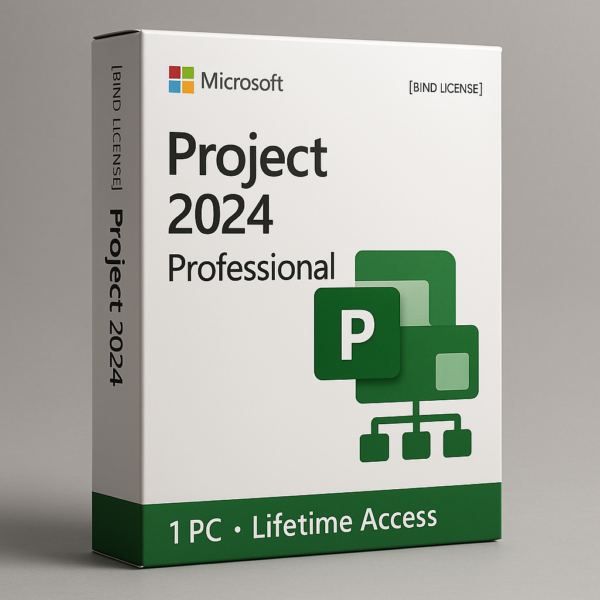
Project 2024 Professional 1PC – Lifetime Access – [BIND LICENSE]
₹999Approximately $11 (USD)
-
One genuine Project 2024 Professional 1PC license key
-
Digital delivery via secured medium
-
Step-by-step installation and activation instructions
-
Compatibility guidance and system recommendations
-
Post-purchase assistance and activation support
Project 2024 Professional 1PC – BIND License
The Ultimate Project Management Solution for Professionals
Take control of your workflow with Project 2024 Professional 1PC [BIND], the next-generation project planning software developed for professionals who demand precision, productivity, and performance. Designed for enterprises, freelancers, and project managers alike, this licensed edition brings you a comprehensive, long-term solution to manage complex projects, streamline team collaboration, and ensure timely deliveries—without compromise.
This lifetime license offers installation for one PC and grants you unlimited access to premium tools and features tailored for high-level project design, task distribution, budgeting, and workload forecasting. With a user-centric interface, enhanced automation, and deep customization, Project 2024 Professional sets a new benchmark in project management software.
✅ Key Highlights:
-
One-Time Purchase – Lifetime Activation
-
Licensed for One PC Only (BIND Key)
-
Suitable for Windows 10 and Windows 11 (64-bit systems)
-
No Monthly or Annual Subscription Needed
-
Offline Installation – Permanent Use
🎯 Who Is It For?
Project 2024 Professional is tailored for:
-
Project Managers overseeing mid to large-scale operations
-
Construction Professionals needing Gantt chart-based timelines
-
IT Teams managing product sprints and development cycles
-
Freelancers and Consultants delivering client projects with defined scopes and budgets
-
Enterprises who require centralized control over resources, planning, and cost forecasting
🛠️ Core Features & Tools:
1. Dynamic Gantt Charts
Get powerful, interactive Gantt charts with drag-and-drop functionality. These allow you to visually map out all project tasks, dependencies, milestones, and deadlines, ensuring nothing slips through the cracks.
2. Advanced Resource Management
Track human resources, equipment, and material allocation across multiple projects. Identify over-allocations, calculate workloads, and assign roles based on availability and cost.
3. Built-in Cost Management
Estimate and control project costs with precision. Monitor expenditures against budgets in real time, with forecasting tools that help you avoid financial overruns.
4. Team Collaboration & Task Delegation
Assign tasks, set dependencies, and define clear deliverables. Track progress with built-in indicators and update completion rates, timelines, and priorities as needed.
5. Timeline & Milestone Tracking
Set clear milestones and visually track them. Predict project completion based on real-time progress and dependencies. Stay ahead of deadlines with notifications and predictive alerts.
6. Custom Reports & Dashboards
Create detailed reports with custom filters—daily, weekly, or monthly. Export data to spreadsheets or PDFs for stakeholder reporting and audits.
7. Calendar & Timesheet Integration
View project events in a calendar format. Add planned and actual working hours for better control over schedules. Timesheet integration simplifies tracking of resource usage.
8. Multiple Project Handling
Simultaneously manage multiple projects, compare resource usage across them, and make informed decisions regarding workload distribution.
9. Critical Path Analysis
Identify the longest stretch of dependent activities and optimize your project for minimum delays. The software helps mitigate bottlenecks early with smart visual cues.
There are no reviews yet.
Recently Viewed
Quick View
Wishlist
Compare
Quick View
Wishlist
Compare